
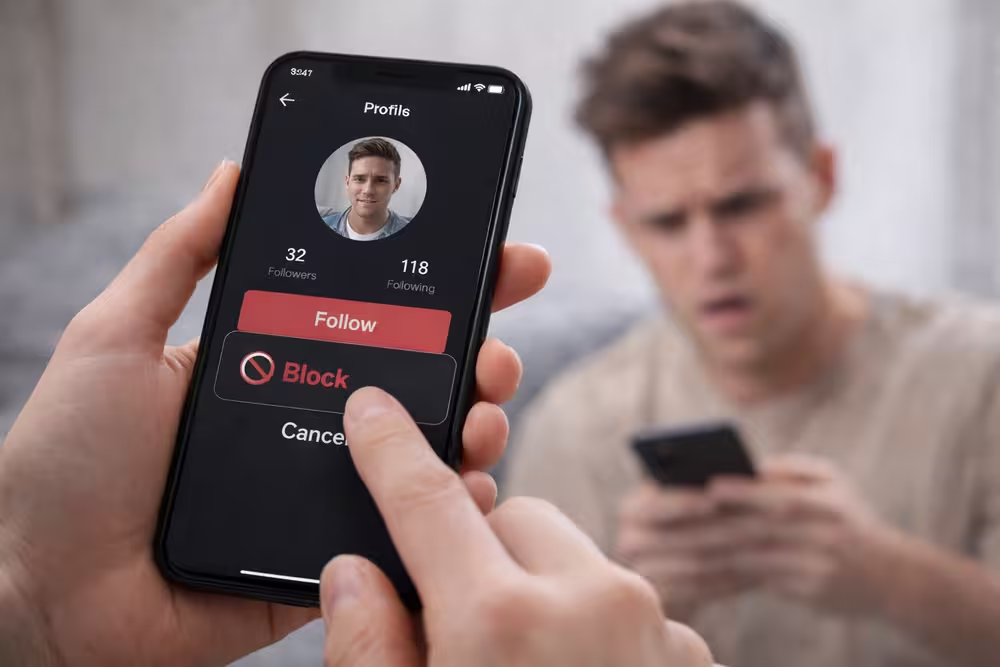
Social media has grown a lot, and sometimes it can feel too much. TikTok, a big name in social media, faces these issues too.
It’s important to control your online space. Blocking someone is easy and can make your experience better. This guide will show you how to block a user on TikTok and keep your online space safe and fun.
By using this TikTok blocking guide, you can handle unwanted interactions. This way, you can keep your online presence positive.
Why You Might Need to Block Someone on TikTok
Keeping TikTok a positive place starts with controlling who you interact with. It’s key to know why you might block someone. This helps keep your online space safe and fun.
Dealing with Harassment and Bullying
Online, harassment and bullying are sadly common. On TikTok, they can show up as mean comments or unwanted messages. Blocking someone stops these problems, letting you enjoy TikTok without stress.
TikTok’s algorithm can make bad content more visible. By blocking bullies, you protect yourself and help make TikTok a better place for everyone.
- Reduce exposure to hurtful comments
- Prevent stalking and unwanted attention
- Help maintain a positive online community
Managing Unwanted Content
It’s important to control what you see on TikTok. By blocking users who post bad content, you make your feed better. This is great for managing TikTok comments and keeping your experience positive.
Blocking bad content also clears your feed. This makes it easier to find and enjoy content that interests you. TikTok’s focus on users lets you customize your experience.
- Curate your TikTok feed by blocking unwanted content
- Improve your overall user experience
- Enhance your ability to discover relevant content
How to Block Someone on TikTok
To keep TikTok safe and fun, it’s key to know how to block users. Blocking someone on TikTok stops unwanted chats and content. We’ll show you how to find a user’s profile and block them step by step.
Finding a User’s Profile
Finding someone’s profile on TikTok is easy. You can do it a couple of ways:
- Search for their username in the TikTok search bar.
- Find one of their videos or comments and go to their profile from there.
After finding the user’s profile, you’re set to block them.
Step-by-Step Blocking Process
Blocking someone on TikTok is simple. Here’s how:
- Go to the user’s profile page.
- Tap the three dots (⋯) on the top right corner of the screen.
- Select “Block” from the options.
- Confirm you want to block the user.
By following these steps, you can block someone on TikTok. This way, you control who sees your content and can’t comment or message you.
Blocking Users from Comments and Videos
To keep TikTok positive, it’s important to block users from commenting and videos. This stops unwanted interactions and makes your experience better.
Blocking from Comment Sections
Blocking users in comment sections is easy. It lets you control who can talk to your content. Here’s how:
- Navigate to the comment section of the video where you want to block a user.
- Find the comment made by the user you wish to block.
- Tap the three dots on the right side of their comment.
- Select Block from the options provided.
By doing this, you stop the user from commenting on your videos. It also stops them from responding to other comments. This gives you more control over who talks to your content.
Blocking from Video Interactions
Blocking users from video interactions helps manage your TikTok experience. It stops blocked users from commenting on your videos or sending you messages. To block a user from video interactions:
- Go to the video where you want to block a user’s interaction.
- Tap on the three dots on the video.
- Choose the Block option.
- Confirm your decision to block the user.
Blocking users from video interactions reduces unwanted engagement. It lets you focus on making content that your audience loves.
Managing your TikTok interactions effectively is key to a positive and enjoyable experience. By blocking users from comments and video interactions, you create a better environment for your content.
How to Block Someone from TikTok Messages
To keep your TikTok inbox safe, you need to block unwanted messages. This is key to online safety and avoiding unwanted chats.
Accessing Your Message Inbox
To block someone on TikTok, start by accessing your inbox. Here’s how:
- Open the TikTok app on your device.
- Tap on the inbox icon, usually a message bubble.
- This will open your message inbox, showing all your chats.
Blocking Process in Direct Messages
After getting to your inbox, block a user from a conversation. Here’s how:
- Find the chat with the user you want to block.
- Tap on the chat to open it.
- Tap on the user’s profile picture or username to go to their profile.
- On their profile, look for a “Block” or “Report and Block” option.
- Choose “Block” to stop them from messaging you again.
Important: Blocking someone on TikTok doesn’t tell them you’ve blocked them. But, they might still see your profile and content, based on your privacy settings.
By following these steps, you can block unwanted messages on TikTok. This keeps your inbox safe and free from clutter.
What Happens After You Block Someone
Blocking someone on TikTok changes how you see and interact with content. It’s important to know these changes to manage your TikTok better.
Effects on Content Visibility
Blocking someone means they can’t see your videos or profile info. You also won’t see theirs. This helps you control who sees your TikTok activity.
Key effects on content visibility include:
- The blocked user can’t see your profile or videos.
- You won’t see their videos or profile either.
- Blocked users can’t interact with your content through likes, comments, or shares.
Limitations of Blocking
Blocking offers some protection, but it’s not perfect. There are limits to keep in mind:
Limitations include:
- A blocked user can make a new account to get around the block.
- If your content is public, blocked users might still find it through links or screenshots.
- Blocking doesn’t erase past interactions or content.
Knowing these effects and limits helps you manage your TikTok better. It lets you make smart choices about your online interactions.
How to Unblock Someone on TikTok
Want to unblock someone on TikTok? It’s easy. Just follow a few steps. This way, you can start interacting with them again. They can comment on your videos and send you messages.
Accessing Your Blocked List
To start, find your blocked list on TikTok. Here’s how:
- Open the TikTok app and go to your profile page.
- Tap on the three dots or the settings icon, usually represented by a gear or three horizontal lines.
- Navigate to the “Privacy and Settings” or a similarly named section.
- Look for “Blocked Accounts” or “Manage Blocked Users.”
Unblocking Process
Now, let’s unblock a user. It’s simple:
- Find the user you want to unblock from the list.
- Tap on the “Unblock” button next to their username.
- Confirm you want to unblock them if asked.
After unblocking, the user can see your content and interact with you. But remember, unblocking doesn’t mean they’re your follower. They’ll need to send you a follow request to follow you.
Tips for Managing Blocked Users:
- Check your blocked list often to see if you still want to block someone.
- Think about unblocking users who have apologized or changed their ways.
- Be careful when unblocking users who have bullied or harassed you before.
Taking Control of Your TikTok Experience
Keeping TikTok positive and fun is more than just blocking users. It’s about managing your interactions and curating your feed. This way, you can make sure everyone has a safe space.
We’ve looked at how to block users, manage unwanted content, and handle TikTok harassment. By following these tips, you can manage your TikTok presence well. This helps avoid problems like dealing with unwanted comments.
To make TikTok better, check your account settings often. Watch your comment sections and think about what you engage with. This helps keep your space safe and enjoyable for you and others.
By controlling your TikTok experience, you can enjoy its creative side without worries. Stay active and make the most of your time on TikTok.