
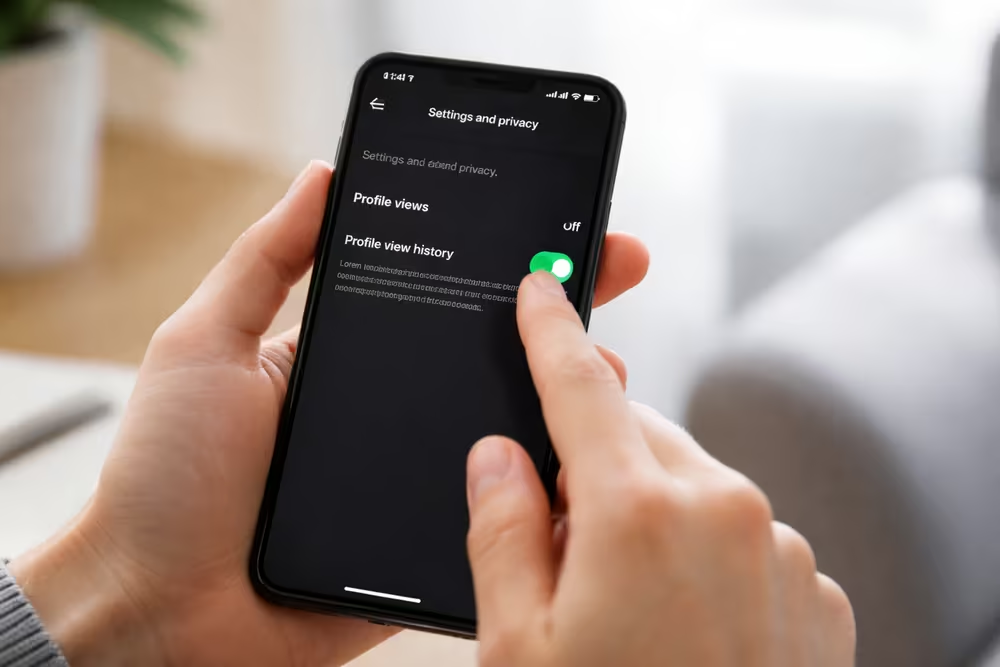
TikTok is getting more popular, and users are worried about their privacy. They want to know who’s looking at their profiles. Keeping your account private and safe is very important today.
Turning off TikTok profile views is easy and gives you more control. You can change your TikTok privacy settings to decide who sees your stuff.
Our guide will show you how to turn off profile views. You’ll learn how to use TikTok’s settings easily and confidently.
Understanding TikTok’s Profile View Feature
It’s key to know how TikTok’s profile view feature works. This lets users see who has looked at their profile. It gives them insights into who’s engaging with their content.
What Are Profile Views on TikTok?
Profile views on TikTok show how many times someone has seen your profile. It’s great for creators and businesses. They can see who’s interested in their work. You can also see a list of visitors and when they came.
When Was This Feature Introduced
TikTok added the profile view feature to improve user interaction. The exact date isn’t known, but it’s now a common tool. It helps users see how visible their profiles are.
How Profile Views Work
The profile view feature tracks visits to your TikTok profile. Here’s how it works:
- Visitor List: You can see a list of users who’ve visited your profile.
- Timestamp: It shows when each visitor came.
- Profile Insights: It helps you understand who’s interested in your content. This way, you can make your posts more appealing.
Knowing how profile views work on TikTok helps you use the platform better. It aids in making smart choices about your content.
Why You Might Want to Turn Off Profile Views
TikTok’s profile view feature is useful but can cause privacy concerns. Users might disable it to protect their privacy and enjoy their social media experience more.
Privacy Concerns
Privacy is a big reason to turn off profile views. Seeing who views your profile can expose your own viewing habits. This is a worry for those who like to stay anonymous online.
Avoiding Unwanted Attention
Disabling profile views also helps avoid unwanted attention. Some users don’t want others to know they’ve seen their profile. This can prevent unwanted interactions or even harassment.
Personal Preference for Social Media Use
Personal preferences also matter. Some people just want to use TikTok for making and watching videos. Turning off profile views lets them customize their experience to their liking.
How to Turn Off Profile Views on TikTok
Disabling TikTok’s profile view feature is simple. It gives you more control over your online presence. First, make sure your TikTok app is current.
Step 1: Update Your TikTok App
First, check if there’s an update available for your TikTok app. Open your device’s app store, search for TikTok, and update the app if necessary. This ensures you have the latest features and settings.
Step 2: Access Your Profile Page
Once your app is updated, open TikTok and go to your profile page. Tap the Profile icon, usually at the bottom right corner of the screen.
Step 3: Navigate to Settings and Privacy
On your profile page, tap the three dots or a menu icon, then select Settings and Privacy. This will take you to a new screen where you can manage various aspects of your TikTok account.
Step 4: Find the Profile Views Setting
Within the Settings and Privacy menu, look for the Privacy section. Here, you’ll find the setting related to profile views.
Step 5: Toggle Off the Profile View Feature
To disable profile views, simply toggle off the switch next to the Profile Views setting. This action will prevent others from seeing when you’ve viewed their profiles.
Confirming Your Changes
After toggling off the profile view feature, review your settings to confirm the change. You may need to exit and re-enter the settings menu to verify that your preferences have been saved.
By following these steps, you can easily turn off profile views on TikTok and enhance your privacy on the platform.
What Happens After You Disable Profile Views
Turning off profile views changes how your TikTok profile works. This can greatly affect your TikTok experience changes.
Changes to Your TikTok Experience
Disabling profile views makes your interactions on TikTok more private. This can make you feel safer and more comfortable.
What Other Users Will See
When you turn off profile views, others can’t see when you’ve looked at their profiles. This makes the app more private for everyone.
Can You Still See Who Viewed Your Profile?
Even with profile views off, you can still see who’s looked at yours. This lets you keep track of who’s seen your profile.
It’s important to understand these changes. Disabling profile views helps you control your user visibility on TikTok better.
Troubleshooting Common Issues
Turning off profile views on TikTok might not be easy for everyone. Let’s tackle some common problems you might face.
Feature Not Appearing in Your Settings
If you can’t find the profile view feature, check if your TikTok app is up to date. Features are sometimes added in stages. Look for updates in the App Store or Google Play Store.
Changes Not Saving Properly
If your changes don’t stick, try restarting the app or your device. This often fixes the issue. If it still doesn’t work, try clearing the app cache or reinstalling it.
App Version Compatibility Problems
Using an old version of TikTok can cause problems. Always use the latest version to avoid these issues.
Contacting TikTok Support
If you’ve tried everything and still have issues, contact TikTok support. Go to the app’s settings, find “Report a Problem,” and explain your problem. TikTok’s support team usually responds quickly and can solve your problem.
By following these steps, you should be able to fix common problems with turning off profile views on TikTok.
Additional Privacy Features to Enhance Your TikTok Security
To make your TikTok account safer, check out the platform’s extra privacy features. These let you decide who sees your videos and who can interact with you. Using these options can greatly boost your privacy and security.
One great feature is controlling who can see your account. You can make it private, so only certain people can view your videos. Find this setting in your TikTok settings under “Privacy.”
There’s also “Restricted Mode” to limit content that’s not suitable for everyone. You can pick who can comment on your videos and who can duet or react. These features help you manage your online space better.
Adjusting these privacy settings can make TikTok safer for you. Take some time to review and tweak these settings. This way, you can enjoy TikTok more while keeping your account secure.