
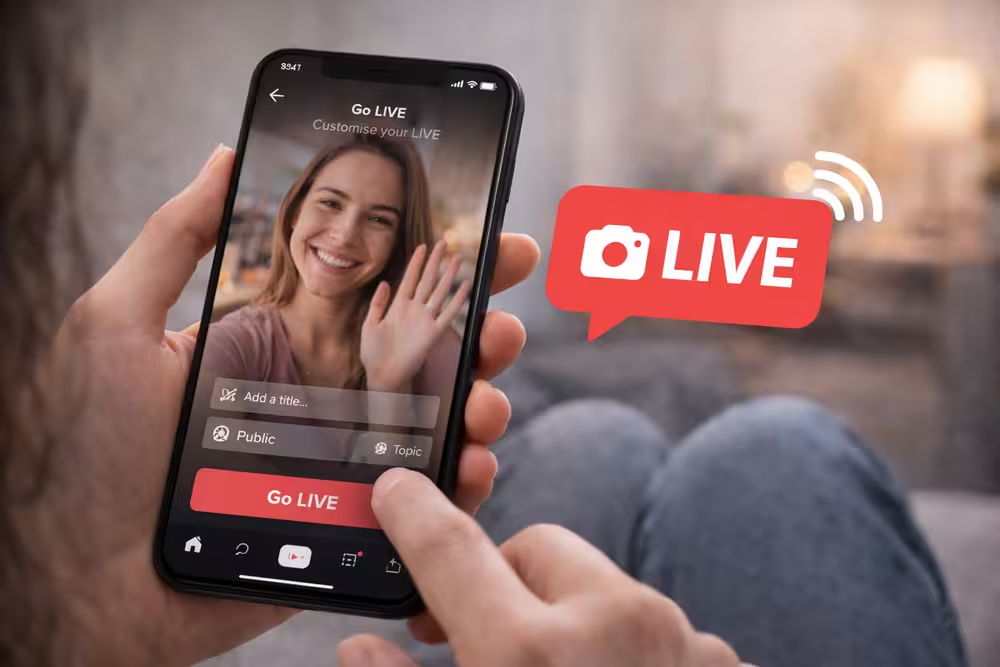
Streaming TikTok Live is a hit for creators to connect with fans live. It’s great for sharing behind-the-scenes, Q&A sessions, or just for fun. Going live on TikTok boosts engagement.
With millions of users, a TikTok Streaming Guide is key. We’ll show you how to go live, from prep to live streaming. You’ll learn to create content that engages your viewers.
Understanding TikTok Live Requirements
Before you can start broadcasting on TikTok, it’s important to know the live streaming rules. These rules help make sure everyone has a good time.
Age and Follower Count Eligibility
To use TikTok Live, you need to meet certain age and follower requirements. This keeps the platform safe and fun for everyone.
The 1,000 Follower Threshold
TikTok wants users to have at least 1,000 followers to live stream. This helps creators build a big and active audience before they start.
Age Restrictions for Going Live
TikTok also has age rules. You must be at least 16 years old to live stream. Some features are only for users who are 18 and older.
Technical Requirements for Smooth Broadcasting
TikTok has technical needs for live streams to be top-notch.
Internet Connection Stability
A stable internet connection is key for smooth live streams. TikTok suggests using fast, reliable internet to avoid buffering and keep video quality high.
Device Compatibility and Settings
Make sure your device works well with TikTok’s live streaming. You’ll need a recent smartphone with a good camera and strong processing. Also, set your device to its best performance by closing other apps that use a lot of resources.
How to Go Live on TikTok? Step-by-Step Guide
To start broadcasting live on TikTok, just follow these easy steps. This guide will show you how to access the live feature, customize your stream settings, and start your first broadcast.
Accessing the Live Feature on Your Profile
First, make sure you’re eligible to live stream on TikTok. Open the TikTok app and go to your profile page. Tap the “+” icon at the bottom center, then swipe to the “LIVE” option.
To access the live feature:
- Open TikTok and go to your profile.
- Tap the “+” icon.
- Swipe to the “LIVE” option.
Customizing Your Live Stream Settings
Before you go live, you can tweak your stream settings. You can set a title and topic for your stream, and adjust your privacy settings.
Setting a Title and Topic
A clear and engaging title can draw in viewers. TikTok lets you pick a topic for your stream, making it easier for people to find what they like.
Adjusting Privacy Settings
TikTok lets you control who sees your live stream. You can make it public, share it with friends, or limit it to specific users. Choose settings that fit your comfort and audience preferences.
Customizing your live stream settings makes your viewers’ experience better and helps you reach your audience more effectively.
Launching Your First Broadcast
After setting up your settings, you’re ready to go live. Tap the “Go LIVE” button to start. Be ready to interact with your audience, answer comments, and keep the energy up throughout your stream.
Tips for a successful first broadcast:
- Promote your live stream before it starts to build excitement.
- Interact with your viewers by responding to comments.
- Keep a regular stream schedule to grow a loyal following.
By following these steps and tips, you’ll be well on your way to creating engaging live content on TikTok. Happy streaming!
Mastering TikTok Live Features and Tools
Mastering TikTok Live is more than just going live. It’s about using its advanced features to make your streams engaging and interactive. With many tools available, you can improve the quality and appeal of your live streams.
Using Filters and Effects During Your Stream
TikTok Live lets you add filters and effects to make your streams look better. You can choose from simple color changes to complex animations. To use these features, just tap the effects button during your stream and explore the options.
Managing Comments and Viewer Interactions
Managing comments and interactions is key for a successful TikTok Live stream. You can pin comments to highlight important messages and use tools to block bad content. Talking back to your viewers in real-time keeps them interested and builds a community.
Understanding Gifts and Monetization Opportunities
TikTok Live lets creators earn money through gifts and diamonds. Viewers can buy coins to give gifts to their favorite creators. These gifts can be turned into diamonds, which are real money.
Diamond Conversion System
The diamond system is simple: creators get diamonds for each gift they receive. These diamonds add up in their TikTok account.
Withdrawal Requirements
To get your money, creators need to meet TikTok’s minimum withdrawal amount. Knowing TikTok’s rules on making money and withdrawals is important for a smooth process.
By learning these features and tools, you can make your TikTok Live experience better for everyone. Whether it’s using cool filters, managing comments well, or making money, TikTok Live is a great place for creators to connect with their audience.
Creating Engaging Content for Live Viewers
To grab your audience’s attention on TikTok Live, you need to make content that speaks to them. Good content is key to a great live stream. It keeps viewers hooked and interested in what you’re sharing.
Responding to Comments and Questions in Real-Time
One top way to get more engagement is by answering comments and questions right away. This makes your viewers feel valued and part of a community. Use TikTok’s live chat feature to interact with your audience, answering their questions and comments as they come in. This makes the experience more fun and real.
Utilizing Multi-Guest and Q&A Features
TikTok’s multi-guest feature lets you invite others to join your live stream. This adds variety and interaction. You can collaborate with other creators, host Q&A sessions, or even conduct interviews. This feature opens up new ways to create content, reaching more people and making the experience more lively.
Interactive Content Ideas That Boost Viewer Retention
To keep viewers interested, mix up your content with interactive elements. Here are some ideas:
- Challenges and Games: Hosting challenges or games is a fun way to engage your audience. You can offer incentives or just make it fun.
- Behind-the-Scenes Content: Sharing behind-the-scenes content gives viewers a peek into your creative process or daily life. It makes your content more relatable and interesting.
By adding these interactive elements, you can make your viewers’ experience more engaging and immersive. This boosts retention and encourages them to come back for more.
Strategies for Growing Your TikTok Live Audience
To boost your TikTok Live presence, use analytics, promotions, and a solid content plan. Knowing TikTok Live’s dynamics is key. You need strategies to draw and keep viewers.
Optimal Timing Based on Analytics
Knowing when your audience is online is vital. TikTok’s analytics show peak hours. Stream live then to reach more people.
- Use TikTok analytics to find your peak hours.
- Stream live during these times to get more views.
- Try different times to see what works best.
Cross-Promoting Your Upcoming Lives
Cross-promotion boosts your TikTok Live viewers. Promote your live streams on other platforms to draw in new viewers.
Effective cross-promotion strategies include:
- Share teasers on Instagram, Twitter, and Facebook.
- Collaborate with other creators to reach more people.
- Use hashtags to get seen by more.
Consistency and Content Planning
Being consistent keeps viewers coming back. Plan your content to keep your streams engaging and regular.
Creating a Live Stream Schedule
A schedule keeps things consistent. Choose a streaming frequency that fits your schedule, like weekly or monthly.
Theme Days and Special Events
Theme days and special events make your streams more interesting. Try Q&A sessions, behind-the-scenes tours, or guest appearances.
- Plan theme days based on what your audience likes.
- Host special events to keep things fresh.
- Ask your audience what they enjoy most.
Taking Your TikTok Lives to the Next Level
To really stand out on TikTok Live, creators need to keep improving and changing their plans. Using Advanced TikTok Live Strategies can make your streams better and more engaging.
Interactive content and real-time chats are key to making your live streams better. Features like Q&A sessions, polls, and live challenges make your show more fun. This helps your viewers feel more involved, which boosts TikTok Live Growth.
Being consistent is also important. Streaming regularly keeps your viewers interested and brings in new followers. Use TikTok’s analytics tools to see how you’re doing and make your streams even better.
By focusing on these advanced strategies and always trying to get better, you can make your TikTok Lives even more popular. This will help you grow your audience and connect with your viewers on a deeper level.